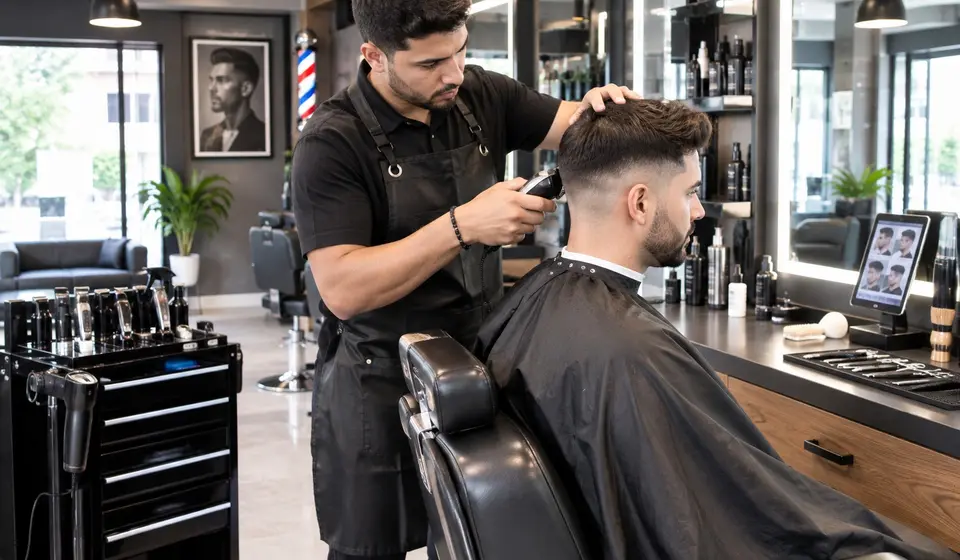
For barbershops
Barbershop appointment software that survives a Saturday
Appcitas gives your shop a booking page with an AI one tap away and, on Pro, an AI that answers inside your WhatsApp, Instagram and Messenger, in English or Spanish, so you can keep cutting. Take deposits on the slots that matter and stop eating no-shows. Try it free for 7 days.
Live demo: book an appointment the way your customer would.
What a busy Saturday costs you
- Clippers in hand, phone buzzing; by the time you reply, he booked the shop down the street.
- Four guys DM for the same 10am slot and you cannot remember who already has a chair.
- A client ghosts and the best half hour of your day sits empty.
- A dad books for his son and the appointment shows up under dad's name.
Saturday chaos: every chair gets a real booking
The problem in a barbershop is rarely too few clients, it is everyone wanting the same hour. The AI only offers times that are actually open, respects how long each service takes (cut, cut and beard, beard trim) and books without anyone double-booking a chair.
You can turn on deposits for the services that cost more. The client pays you directly, on Zelle, Cash App, Venmo or whatever you set up, the slot is held for a couple of hours and released automatically if payment is never reported. If a client says they paid and it never showed up, you tap "Did not arrive" and that number cannot book online with you again. Appcitas never touches the money and takes no cut of it. Regulars can be exempt.
Regulars rebook in one message
If the client is already in your system and writes to your Pro WhatsApp, he can write "Saturday afternoon" or "the first you have" and the AI offers the earliest slot without asking for his details again. Name and phone come last, after he picks a time.
When a dad books for his son from his own phone, the appointment is under the kid's name and you see that name on your calendar.
Independent barber or multi-chair shop
Working solo? Starter covers your calendar, deposits and WhatsApp reminders sent from the shared Appcitas number, with nothing to connect. Running several chairs? Pro gives each barber a calendar and puts the AI on your own WhatsApp number, plus Instagram DMs and Facebook Messenger, all landing in one calendar.
Your booking link goes in your Instagram bio: the client picks a service and time and leaves a name and WhatsApp number, with no account to create. The AI is one tap away if he has a question, and it answers in English or Spanish, whichever he writes in.
The reminder goes out the day before, once
Every appointment, whether the AI, the link or you booked it, gets a WhatsApp reminder the day before (Starter and up). It is sent once per appointment, so no double texts. WhatsApp reminders work for clients who use WhatsApp.
Try it with your own calendar
Free, no card, ready in 5 minutes.7 days free. Nothing to pay today. Ready in 5 minutes.Try it free for 10 bookings or 7 days, whichever comes first. No card needed.
Frequently asked questions
Can it handle several barbers?
Yes, on the Pro plan: each barber has their own calendar inside one shop and you see the whole day. Clients can pick their barber or take the first open slot. If you work alone, Starter is enough.
Can I take a deposit so I stop losing chair time to no-shows?
Yes, on Starter and up. You turn it on, pick a fixed amount or a percentage (even only above a certain price), and the client pays you directly with whatever you accept: Zelle, Cash App, Venmo or a payment link. The slot is held for a few hours and released if payment is not reported. You confirm that it arrived. Appcitas does not process or hold that money.
How do I know the client really paid the deposit?
You check your own account. If the client sends a photo of the receipt, the AI gives you an indicative signal ("looks right" or "check it"), but you are the one who taps "Received" or "Did not arrive" after looking at your own account.
What if a parent books for their kid?
The appointment goes under the kid's name, since that is who sits in the chair, even if the parent booked from their own phone. You see that name on your calendar.
Does it answer Instagram DMs?
Yes, on the Pro plan: Instagram and Facebook Messenger messages are answered by the same AI and land in the same calendar. On any plan you can put your booking link in your bio.
Can I keep using WhatsApp Business on my own number?
Yes, on Pro. You keep the WhatsApp Business app on the same number, and when you reply from your phone the AI stays quiet in that conversation for 12 hours so you never talk over each other.
Is there a mobile app?
Yes. You get an iOS and Android app to see and manage your calendar from your phone, with the bookings the AI made and the ones you add. Your customers never need to install anything: they book on WhatsApp or through your link.
Is Appcitas free?
Yes, you can start free and with no card, with the calendar (up to 10 bookings a month) and your AI booking link. WhatsApp reminders come with the Starter plan, and your own number with the AI answering comes with the Pro plan, which you can try for 7 days free, also with no card.You can try it free for 7 days. To start we ask for a card; nothing is charged until day 7 and you can cancel before then in Settings > Billing. After that the first month is from USD 9.50 (Starter), then USD 19 a month.Try it free for 10 bookings or 7 days, whichever comes first. No card needed. If you continue, Starter is USD 19 a month and Pro is USD 49 a month, and the first month may carry a discount, shown before you pay. If the trial ends without a plan, your account is paused and your data is kept.
Start free. No card.Try it free for 7 days.10 bookings or 7 days free. No card.
Create your account and let Appcitas answer and book for you.
Try it for 7 daysTry it for 7 daysTry it free